
For reps
It handles the paperwork around every visit.
Groundbreaker plans the route, briefs you at each stop, and files your notes before you leave the lot.
Watch the demo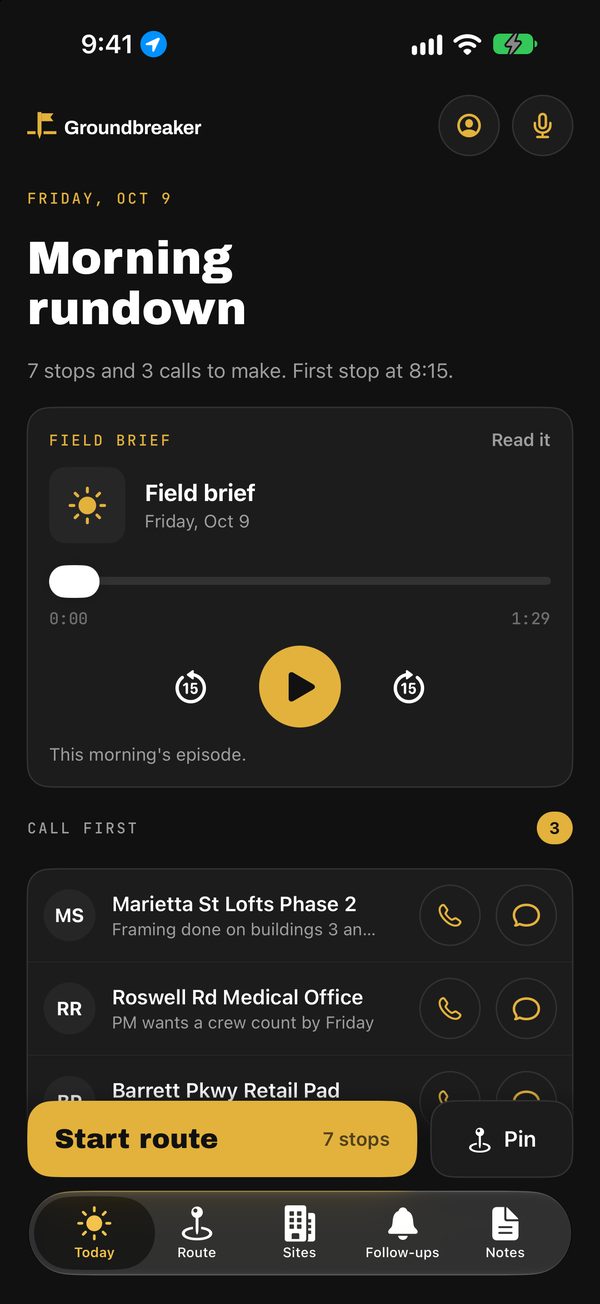
What it does
Plan, brief, log, follow up.
Plan
The day's route, built for you.
Pick your stops or let it pick from your follow-ups. It puts them in the fastest driving order from your start to your finish.
Brief
Your day, read to you.
Every morning: your route, who you'll likely see and what happened last time. Before each stop, a prep card shows the GC, open issues and your ask.
Log
Note, snap, scan.
Type a note, add a photo, set a follow-up. Scan a business card and the contact is added to the site.
Follow up
Nothing slips.
Follow-ups come up the day they are due, sites going cold get flagged, and a pin dropped on new dirt becomes a site.
A day on the road
Where it fits in a rep's day.
Real screens from the app, in its demo mode with invented sites and contacts.
Morning
Hear the day before you drive.
Your route, who you'll likely see and what happened last time, read to you. Call first shows who to ring before you leave.
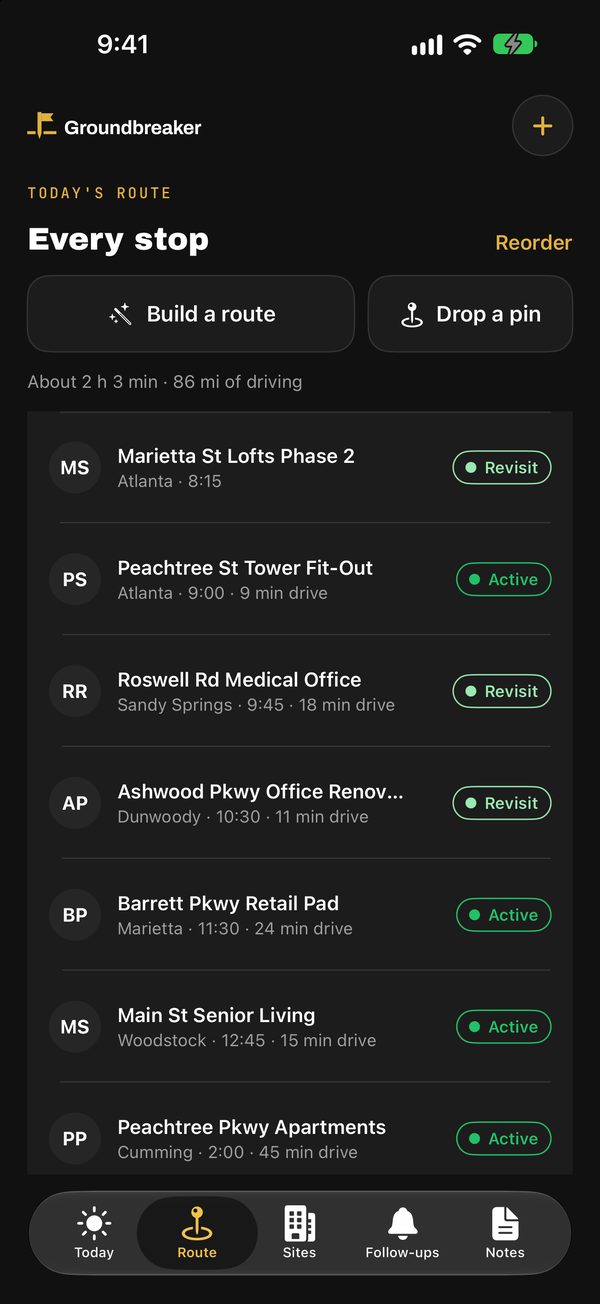
On the road
Every stop, in the fastest order.
Seven stops from your start to your finish, with the drive between each. One tap to navigate, call or text.
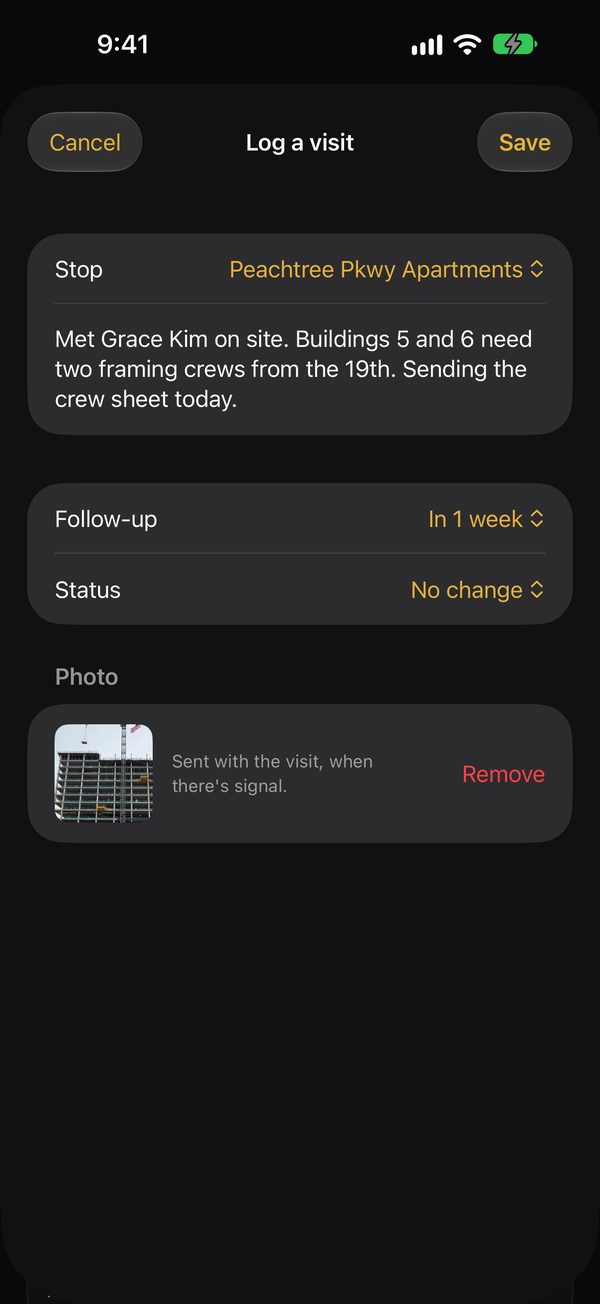
On site
Log it before you leave the lot.
A note, a photo and a follow-up, filed to the right site. Scan a business card and it becomes a contact.
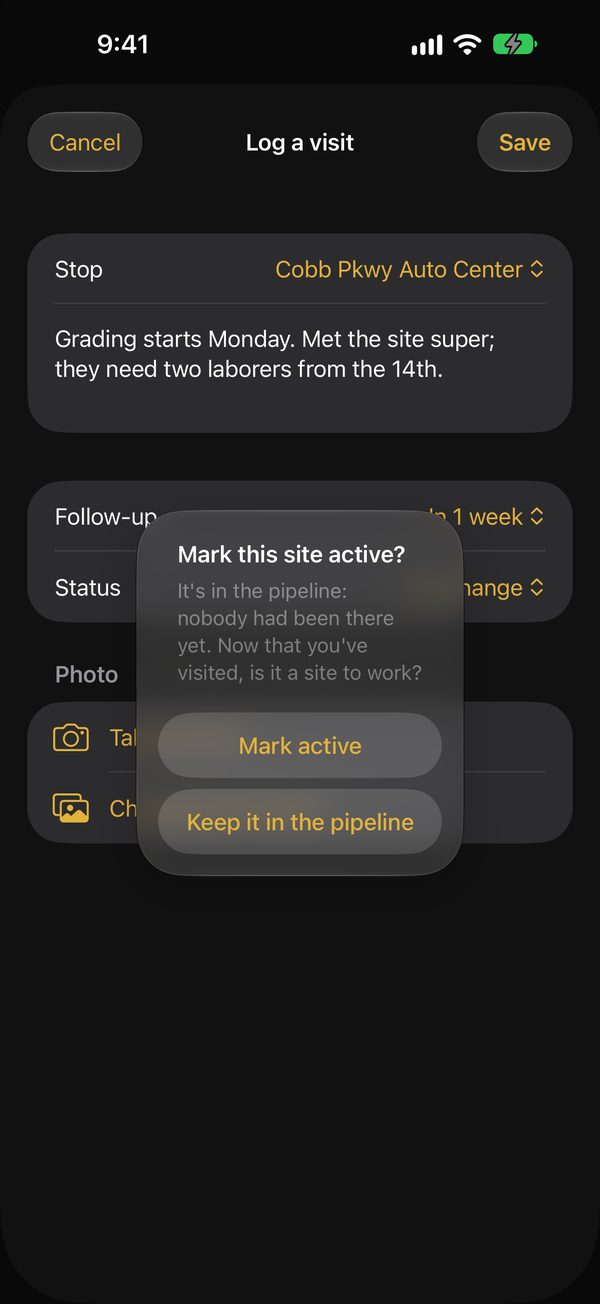
New work
Pipeline to active, on the spot.
Visit a pipeline site and it asks whether the job is live. Drop a pin on new dirt and it becomes a site.
Demo
Watch a day on the road.
The morning brief, meetings on the route, Car Mode, talking a visit note, dropping a pin, the Manager Dashboard and Lead Finder. Real screens, in demo mode.
Also in the app
Twelve more things it does.
Companies and offices
GCs and subs with their offices, which route like any site.
Contacts
Everyone you've met, with call, text and email one tap away.
One search
Sites, companies, contacts and offices from a single search box.
Who you met
Tick the people and companies you saw, and the visit is filed under each.
Log to the right site
Pull up and it asks whether to log the site you're standing at. Off-route stops are recorded too.
Your calendar
Follow-ups and planned stops in Apple, Google or Outlook calendar, and today's meetings at your sites on the route.
Car Mode
The next stop in big type with Navigate, Call and Text, and the day's progress on your Lock Screen.
Siri and widgets
“Navigate to my next stop,” “Play my brief,” “Drop a pin here.” Widgets for the next stop and the brief.
Share a job ad
Share a posting from any app into Groundbreaker and it becomes a lead.
Text a pin
Text a map pin to Groundbreaker's number and it becomes a site or a visit.
Works without signal
Visits, notes and pins save on the phone and send when you're back in range.
Demo mode
Try every screen with invented sample data. Your real data stays untouched.
Questions reps ask
Location, signal and phones.
Does it track my location?
No. Groundbreaker uses your location only while the app is open, to show where you are, to drop a pin and to check which site you're standing at. It never tracks you in the background, and managers never see where you are. They see the visits you log.
What happens when there's no signal?
Keep working. Your sites and routes are on the phone, and visits, notes, photos and dropped pins save there too. They send on their own when you're back in range, and the Account screen shows how many are waiting to send.
Does it work on Android or iPad?
Android: an early version is in testing, for Android 8 or later. It does most of what the iPhone app does: the brief, routes in driving order, the map, Car Mode, and visits with photos that save without signal. Talked visit notes and your calendar come next. Tell us if your team needs it, because that moves it up. iPad: not yet. The iPhone app needs iOS 17 or later, and managers use the website on any computer or phone, where it installs like an app.
Can I try it without touching real data?
Yes. In the app, go to Account and switch on Demo mode for invented sample sites, contacts and visits. Your real data comes back untouched when you switch it off. Managers can try the Manager Dashboard with sample data without signing in.
iPhone and Android
The app is in beta testing.
It runs on iPhone with iOS 17 or later. An early Android version is in testing, for Android 8 or later. Store links go here when the listings are live.
Get started
See it on your own route.
Book 30 minutes for a walkthrough, or start the 30-day pilot for up to 10 people. We load your sites for you.