
For managers
See the whole team without riding along.
The Manager Dashboard shows who went where, which follow-ups are late and which sites are going cold. Every table downloads as a spreadsheet, and it installs like an app on your computer or phone.
The Manager Dashboard
Team, reports, territories and people.
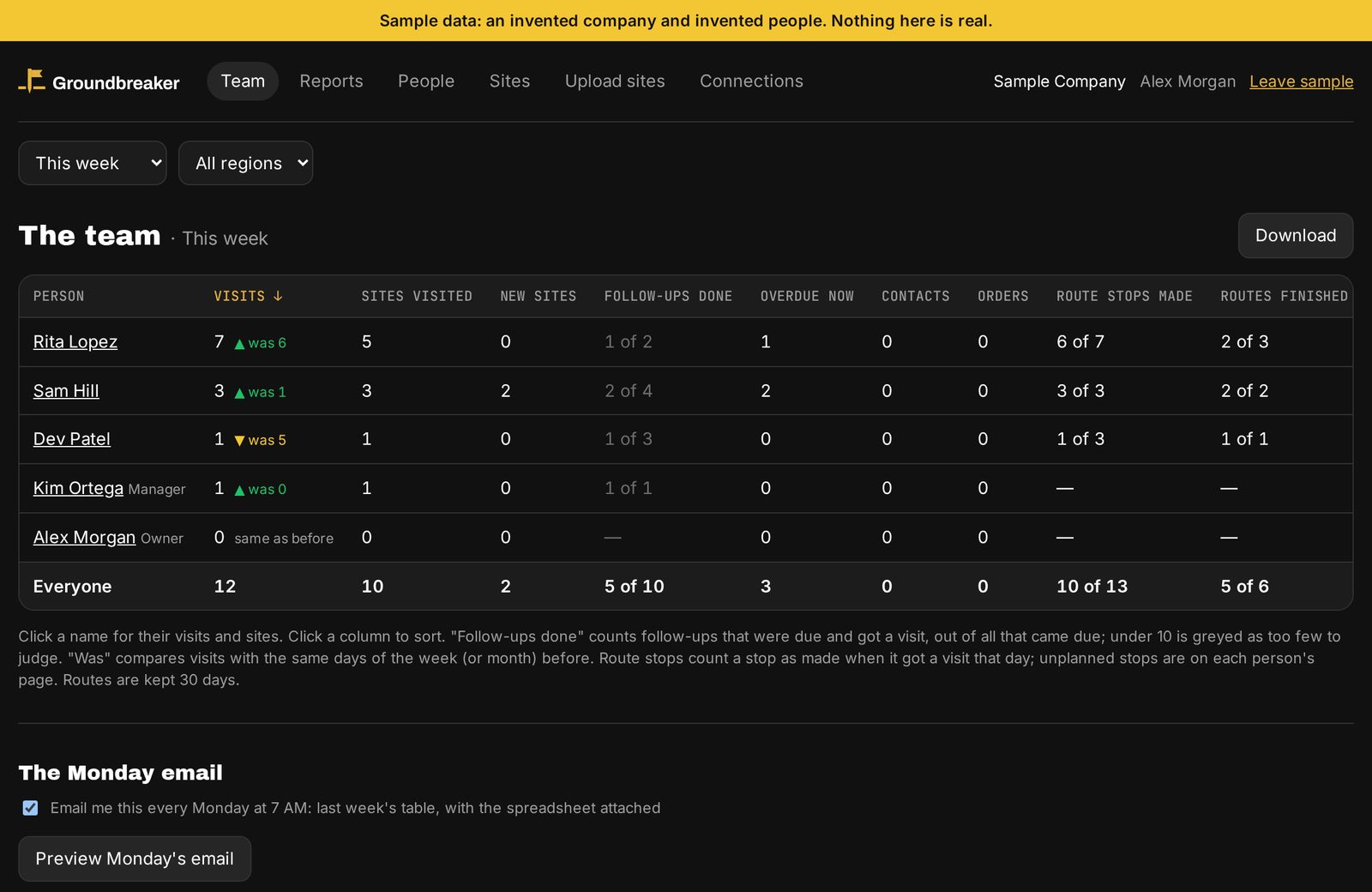
Team
Every rep's week on one screen.
Visits, new sites, follow-ups done and overdue, and route stops planned against made, each compared with the week before. Owners and managers can get it by email every Monday at 7 AM, with the spreadsheet attached.
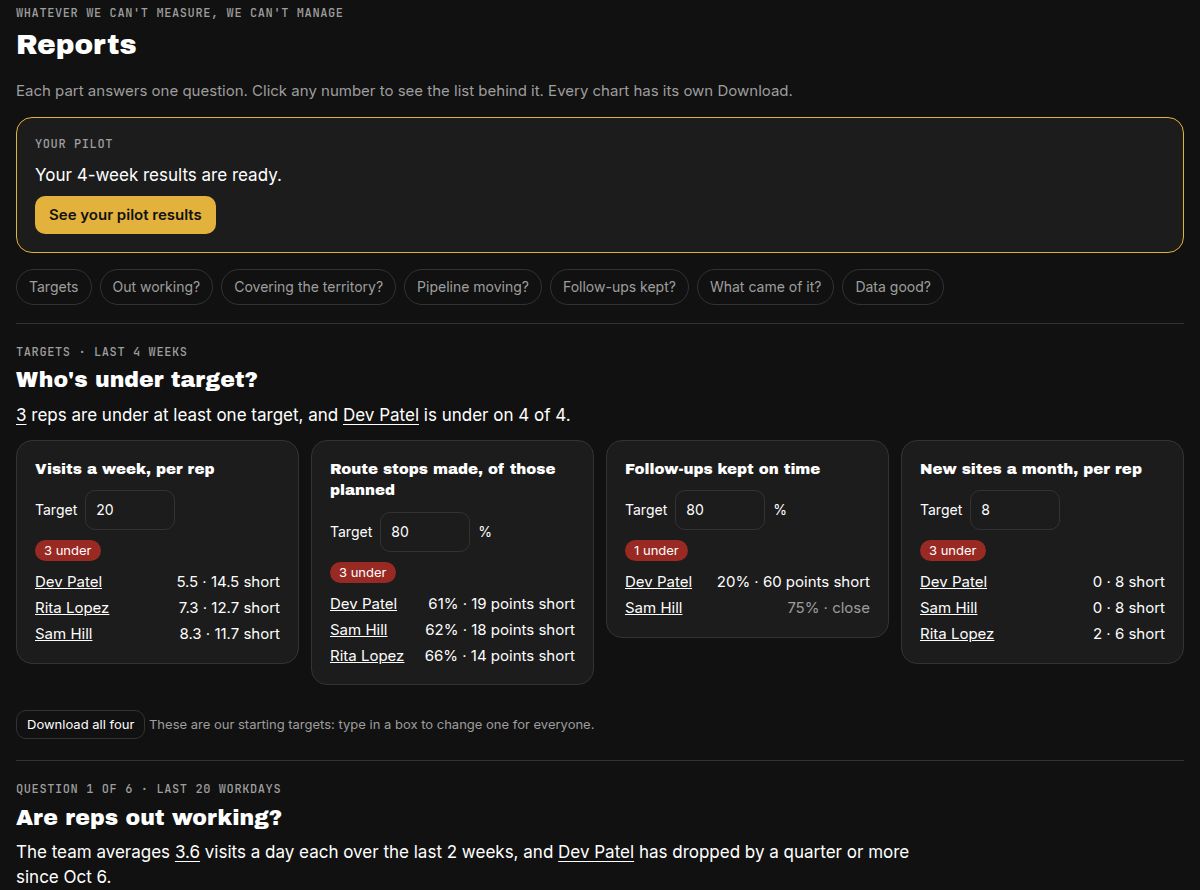
Reports
Who's under target, and why.
Set four targets: visits a week, route stops made, follow-ups kept on time and new sites a month. Reports shows who's under, then answers six questions in a sentence each: are reps out working, are we covering the territory, is the pipeline moving, are follow-ups kept, what came of it, and is the data good.
Territories
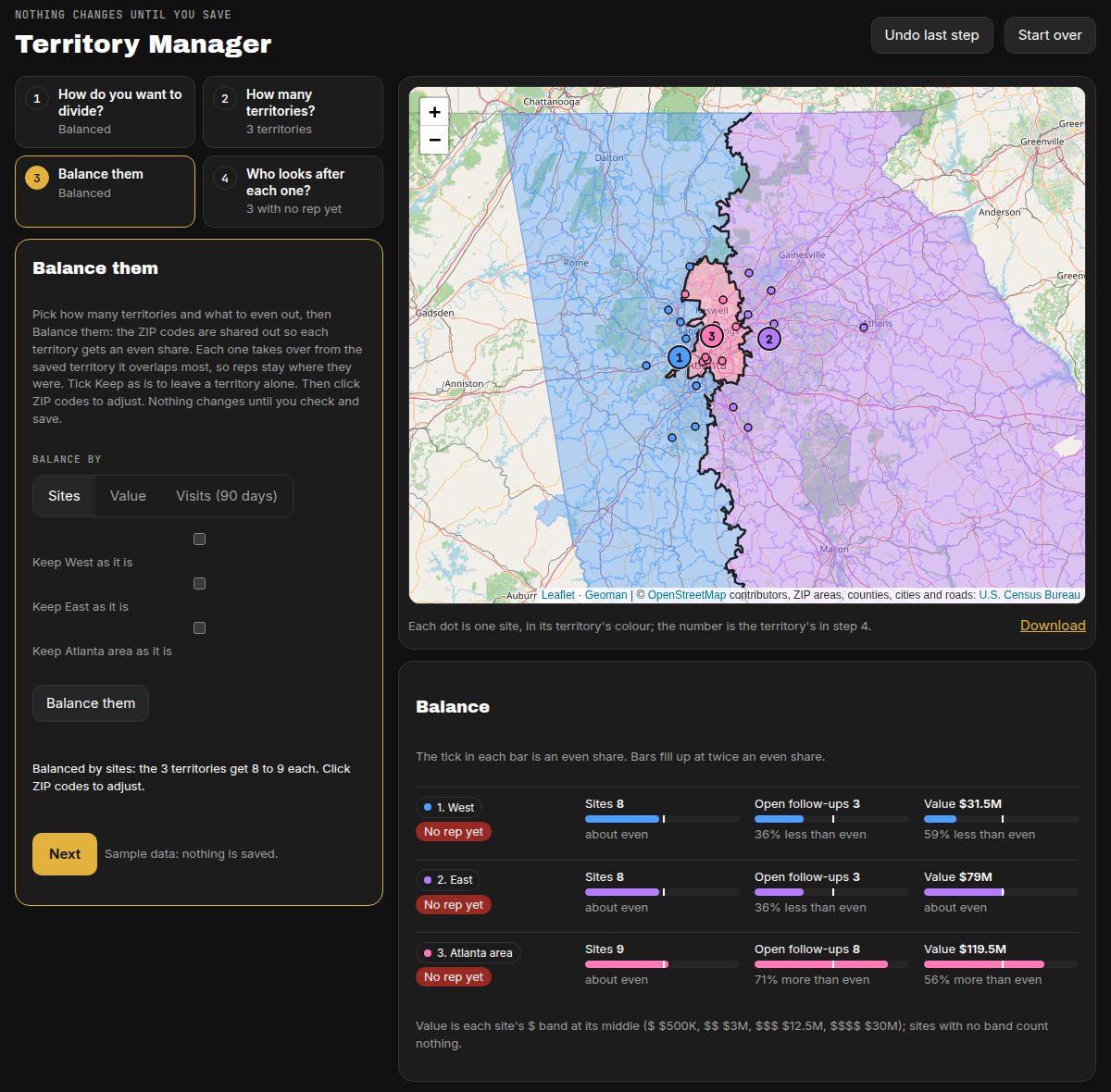
Even territories in a few clicks.
Divide by ZIP code, county or city, follow a highway, or draw the borders. Balanced shares the ZIP codes out evenly by sites, value or visits, and keeps each rep where they were. You see which sites move before anything changes.
People
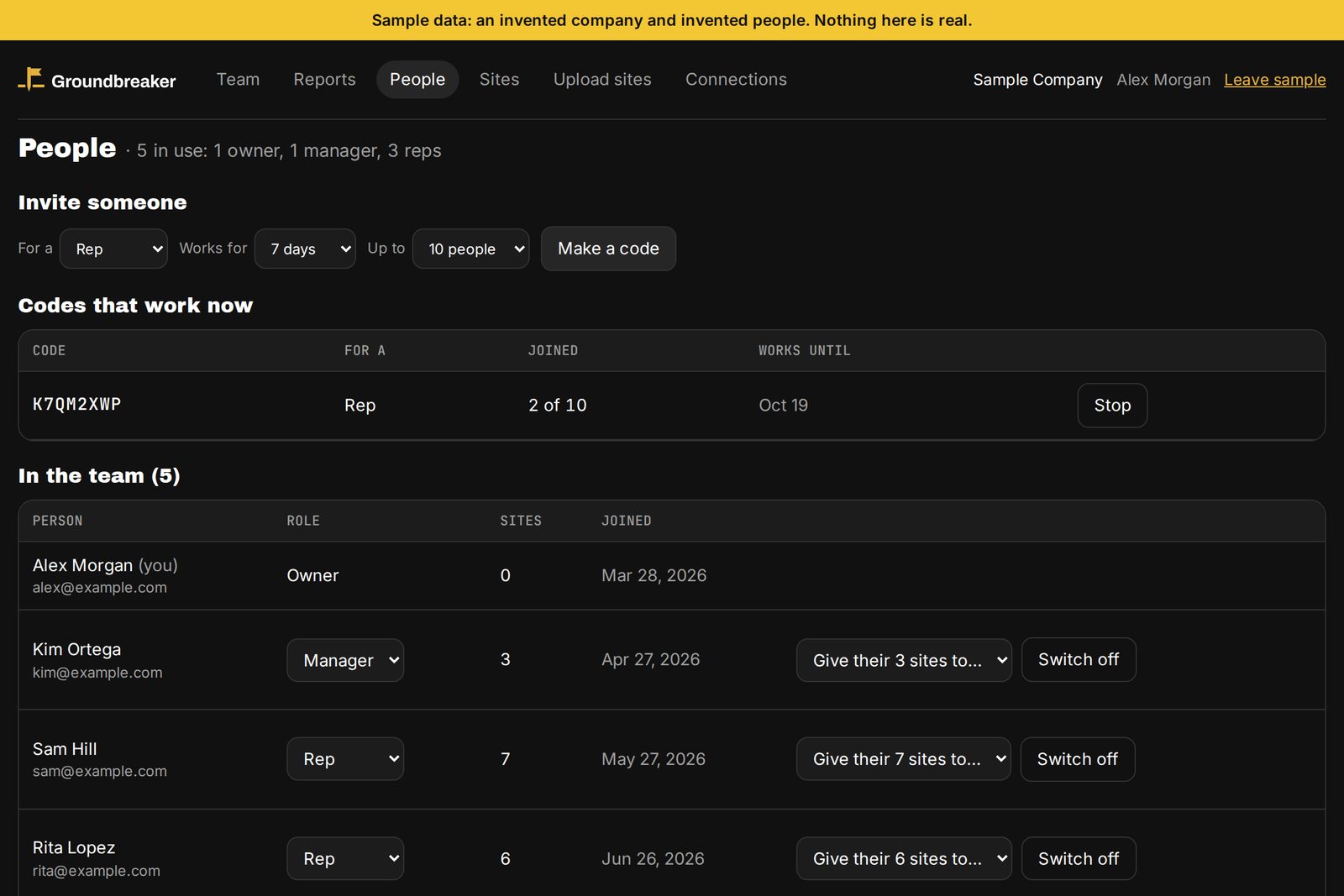
Add and remove reps yourself.
Invite a rep or a manager by email. Switch someone off and their access stops straight away. Their visits stay with the company, and their sites go to whoever you choose.
Screens from the Manager Dashboard's sample data: an invented company and invented people. Map: © OpenStreetMap contributors; ZIP areas: U.S. Census Bureau.
Getting a team going
Set up in three steps.
Import your sites.
Bring your site list in from Excel, Google Sheets or a CSV file. Check the preview first, and undo the import if it's wrong.
Invite your reps.
In Settings, under People and invites, send each rep an email invitation with their code and how to get the app.
Reps hit the road.
They install the app, join with their code and see their sites. Tomorrow's route is a tap away.
Rather we do it? We import your lists, draw your territories and train your reps on a call for $499, free when you pay the year up front.
Questions managers ask
People, reports and site lists.
How do I add my team?
On the Manager Dashboard, open Settings, then People and invites, and send each person an email invitation as a rep or a manager. The email has their personal code, which works once, for 7 days, and how to get the app. They install the app, sign in and they're in. Owners can also make a company code to text to a group.
What happens when a rep leaves?
Switch them off in Settings, under People and invites. Their access stops straight away, their visits and notes stay with the company, and you choose who gets their sites.
How do we bring in our existing site list?
Import it on the Manager Dashboard (Import, in the menu) from Excel (.xlsx), a CSV file or a Google Sheet saved as either. You see a preview before anything is saved, and you can undo the last import.
Can I get the numbers by email?
Yes. Owners and managers can get last week's team table every Monday at 7 AM, with the spreadsheet attached. Each person switches it on or off for themselves.
Your data
Your company owns its data.
Each company's data is walled off from every other company's, in the database itself. Owners, managers and reps see what their role allows. Download it as spreadsheets whenever you like.
Try it now
Open the Manager Dashboard with sample data.
An invented company and invented people, and no sign-in. When you're ready, book a demo or start the 30-day pilot.